Completion requirements:
- View
Interactive Classroom Activities with AI
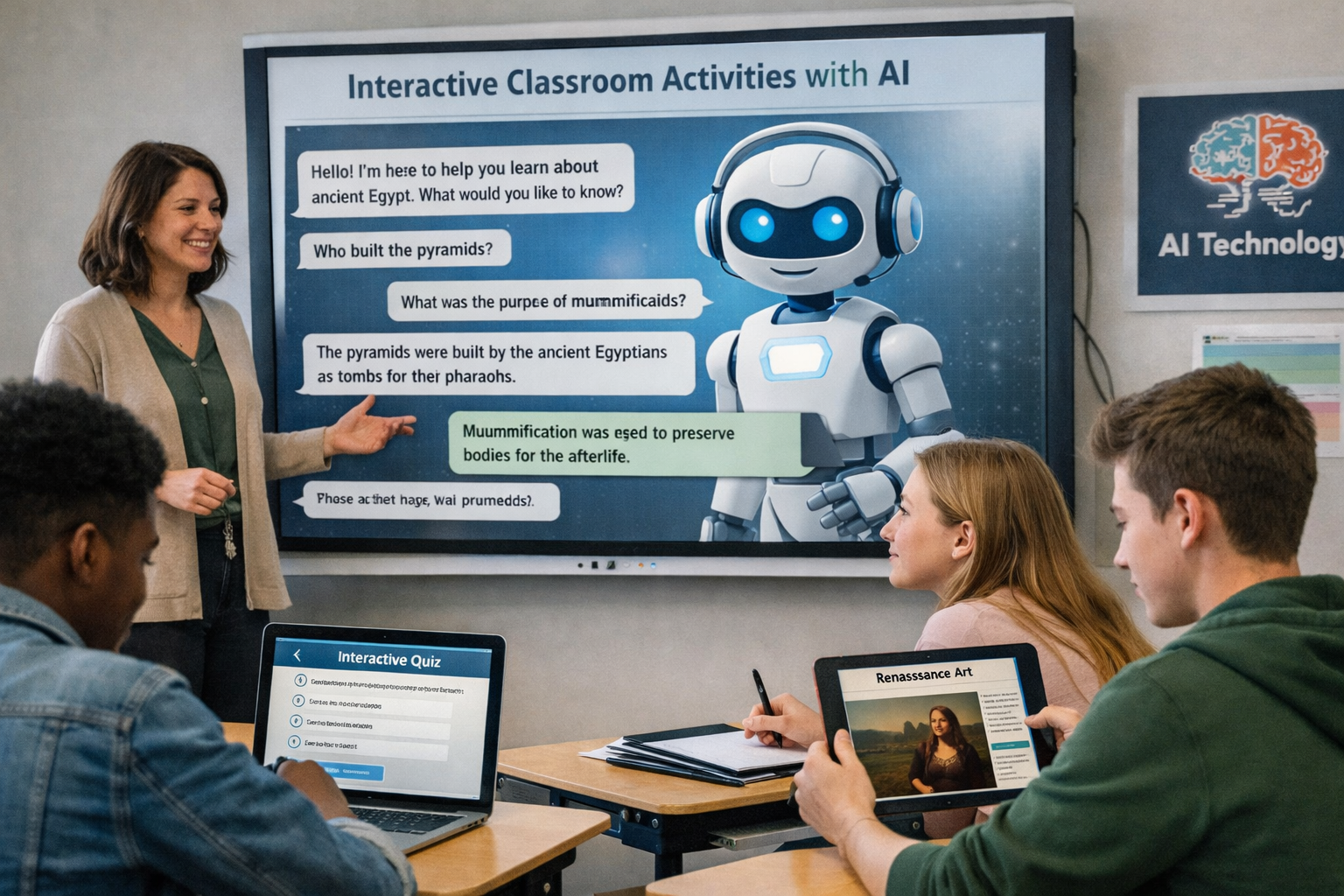
The integration of Artificial Intelligence (AI) in educational settings opens new possibilities for making learning more interactive, personalized, and meaningful. Interactive activities using AI allow students to move beyond being mere recipients of information and take an active role in building knowledge by exploring, questioning, creating, and reflecting.
Unlike traditional approaches that focus solely on content delivery, the use of AI tools promotes active methodologies such as project-based learning, collaborative learning, and discovery-based learning. These activities can be adapted to different educational levels, subject areas, and student profiles, including students with learning difficulties, special educational needs, or limited proficiency in the language of instruction.

The Role of AI in Classroom Interactivity
AI can take on various roles in the teaching and learning process:
· Learning facilitator, helping to explain content in a simplified or level-appropriate way;
· Support for teachers, in creating materials, differentiated exercises, or personalized feedback;
· Learning partner, allowing students to dialogue, test ideas, and receive immediate responses;
· Inclusion tool, supporting students with linguistic, auditory, visual, or cognitive difficulties.
Interactivity occurs when students engage with the tool, receive real-time feedback, and adjust their reasoning or production based on that feedback.
Practical Examples of Interactive AI Activities
1. Guided Dialogue with Educational Chatbots
Conversational AI tools can be used to simulate educational dialogues.
Practical example:
In a History class, students can “converse” with a chatbot playing the role of a historical figure (e.g., a Portuguese explorer or a scientist). The student asks questions and receives contextualized answers, stimulating curiosity and critical thinking.
Pedagogical value:
· Develops questioning skills;
· Promotes active learning;
· Encourages autonomy.
2. Content Rewriting and Simplification
AI can adapt complex texts into simpler language or organize content into key points.
Practical example:
After reading a scientific text, students ask AI to:
· Summarize the text in 5 key points;
· Explain the content as if for a younger student;
· Create a glossary of difficult terms.
Pedagogical value:
· Supports students with reading difficulties;
· Develops comprehension skills;
· Facilitates differentiated instruction.
3. Creation of Interactive Quizzes
AI can help create quizzes, question games, and personalized challenges.
Practical example:
At the end of a topic, students ask AI to generate a multiple-choice quiz about the content studied and then exchange quizzes among groups for completion.
Pedagogical value:
· Consolidates knowledge;
· Encourages collaborative learning;
· Provides immediate feedback.
4. Creative Production Supported by AI
AI can support creativity without replacing the student.
Practical example:
In a Portuguese or foreign language class, students:
· Create a story with the help of AI;
· Ask AI for suggestions to improve their written text;
· Work on language revision and vocabulary.
Pedagogical value:
· Stimulates writing;
· Reduces fear of making mistakes;
· Develops language skills.
5. Supporting Students with Diverse Needs
AI tools can make activities more inclusive.
Practical example:
· Automatic translation for foreign students;
· Text-to-speech for students with visual difficulties;
· Transcription of oral explanations for students with hearing difficulties.
Pedagogical value:
· Inclusion;
· Equal opportunities;
· Enhanced classroom participation.
Suggested Activities
Activity 1 – “Exploring a Topic with AI”
· Students choose a topic from the subject;
· Use AI to obtain explanations, examples, and interesting facts;
· Present to the class what they learned, explaining how they used AI.
Activity 2 – “Teacher for a Day”
· The student asks AI to explain a topic;
· Critically analyzes the response;
· Corrects, supplements, or reformulates the explanation before presenting it.
Activity 3 – “Create and Evaluate”
· Students create exercises using AI;
· Other classmates complete them;
· The class discusses whether the questions are accurate and well-formulated.
Activity 4 – “AI and Critical Thinking”
· The teacher provides an AI-generated answer containing errors or inaccuracies;
· Students identify and correct the mistakes;
· Debate the importance of verifying information.
Artificial Intelligence Tools for Educational Use
The use of interactive activities supported by AI becomes even more effective when combined with appropriate digital tools. Nowadays, there is a wide range of Artificial Intelligence–based software that can be used by teachers and students, both in the classroom and in autonomous learning environments, such as studying at home or collaborative work at a distance. These tools may be general-purpose, applicable across different subjects, or specifically designed for particular curricular areas.
General-Purpose AI Tools
General-purpose AI tools are versatile and can be adapted to different subjects and educational levels. They are particularly useful for supporting learning, content creation, and the development of critical thinking skills.
· ChatGPT (OpenAI)
Can be used to explain content, answer questions, generate examples, create exercises, support writing tasks, and promote educational dialogue. It is useful across almost all subjects, from Languages to Sciences, provided it is used in a guided and critical manner.
· Microsoft Copilot / Google Gemini
I assistants integrated into productivity environments that help with the creation of texts, presentations, summaries, and outlines. They are especially useful for group work, preparing presentations, and organizing ideas.
· Perplexity AI
An AI-assisted research tool that provides answers supported by sources, making it particularly useful for guided research activities and for developing information literacy.
· Canva with AI
Enables the creation of presentations, infographics, posters, and other visual materials with AI support, fostering students’ creativity and communication skills.
AI Tools for Languages and Communication
In the teaching of Portuguese and Foreign Languages, AI can support the development of reading, writing, vocabulary, and oral communication skills.
· Grammarly / LanguageTool
Writing support tools that help with grammar correction, clarity, and style, promoting student autonomy in revising their written work.
· DeepL Translator
A high-quality automatic translation tool, useful for foreign students, for comparing texts in different languages, and for comprehension and translation activities.
· Duolingo (with AI)
A language learning platform that uses AI algorithms to adapt the pace and exercises to each learner’s progress.
AI Tools for Mathematics and Science
In subjects such as Mathematics, Physics, Chemistry, or Natural Sciences, AI can support problem-solving, concept visualization, and logical reasoning.
· Photomath
Allows students to solve mathematical problems and view step-by-step solutions. It can be useful as a study aid and for analyzing procedures, as long as it is used pedagogically.
· Wolfram Alpha
An advanced computational tool that answers mathematical and scientific questions, generates graphs, and supports the exploration of complex concepts.
· PhET Interactive Simulations
A platform offering interactive simulations which, although not exclusively AI-based, uses computational models to support experimental learning in science.
AI Tools for History, Geography, and Social Sciences
AI can enrich the teaching of Social Sciences by promoting critical analysis, research skills, and historical and geographical contextualization.
· Custom thematic chatbots
Created using generative AI tools, these can simulate historical figures, time periods, or geographical contexts, encouraging dialogue and active learning.
· Google Earth with intelligent features
Enables the exploration of geographical space, the analysis of changes over time, and the support of interdisciplinary projects.
AI Tools for Inclusion and Accessibility
AI plays a crucial role in promoting a more inclusive school environment by supporting students with diverse educational needs.
· Microsoft Immersive Reader
Facilitates reading through text adaptation, read-aloud features, translation, and adjustments to spacing and contrast.
· Live Transcribe / Google Live Caption
Automatic speech-to-text transcription tools, useful for students with hearing impairments.
· Magnifier (Google)
An application that enlarges texts and images and adjusts contrast and lighting, supporting students with low vision.
Use in Different Learning Contexts
These tools can be used:
· In the classroom, to support explanations, interactive activities, and collaborative work;
· At home, for autonomous study, content review, and project work;
· In hybrid or distance learning environments, ensuring continuity of learning.
The teacher’s role is essential in selecting appropriate tools, defining clear pedagogical objectives, and guiding their ethical and responsible use, ensuring that AI supports learning rather than replacing critical thinking and students’ active engagement.
Final Pedagogical Considerations
It is essential to emphasize that AI does not replace the teacher or the student’s effort. Its value lies in conscious, critical, and pedagogically guided use. Interactive AI activities should be planned with clear objectives, promoting skills such as:
· Critical thinking;
· Autonomy;
· Creativity;
· Digital literacy.
When used effectively, AI transforms the classroom into a more dynamic, inclusive space, adapted to the demands of 21st-century education.
Last modified: Monday, 19 January 2026, 9:51 AM