2. Raspberry Pi remote access using RealVNC
2.1 Enable VNC in Raspian OS with a or b:
a) Enable VNC in Preferences - Raspberry PI Configuration – Interfaces
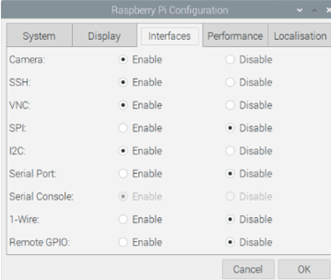
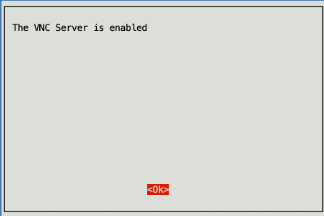
b) Another method to enable VNC is using Terminal, enter the command
sudo raspi-config
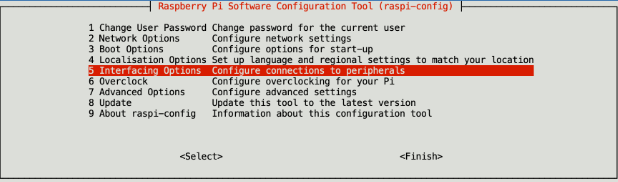
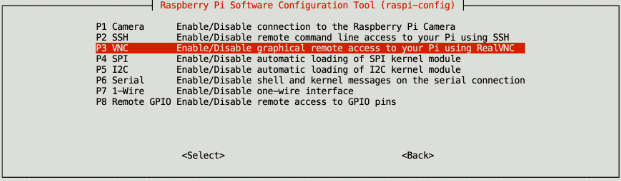
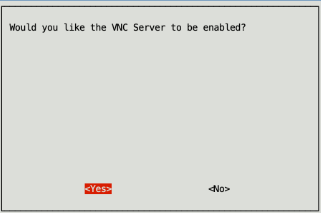
2.2 Install a VNC Viewer
You will need to install a VNC Viewer on your computer, so you can connect to you Raspberry Pi. There are a number of viewers available, but the easiest to set up is Real VNC Viewer. You can download Windows and Mac installers from here: https://www.realvnc.com/en/connect/download/viewer/
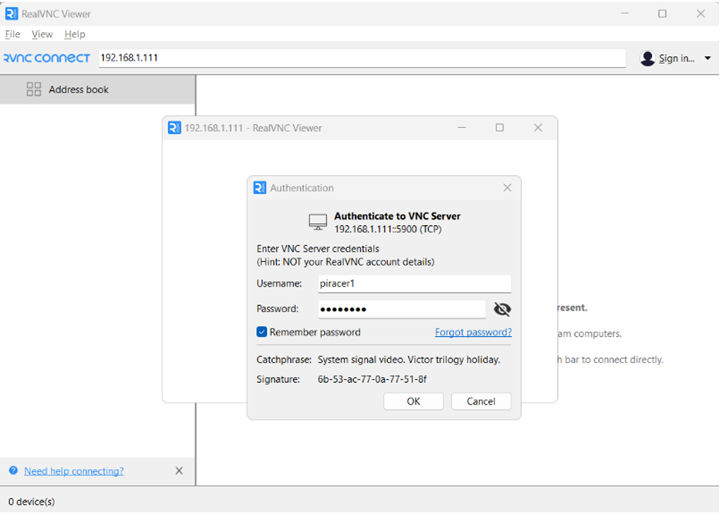
Open Real VNC Viewer and enter Piracer IP adress (read it from car display)
Last modified: Tuesday, 2 June 2026, 2:26 PM