
Here's a simple Jupyter Notebook exercise for students to learn about decision trees. This exercise will guide them through loading a dataset, training a decision tree model, and evaluating its performance.
Exercise: Classification Using Decision Tree
Objective:
Load a dataset.
Train a decision tree model.
Evaluate the model's performance.
Prerequisites:
Install the scikit-learn library.
Use a simple dataset like the Iris dataset.
### Step 1: Install Required Libraries:
%pip install scikit-learnStep 2: Import Libraries:
import numpy as np
import matplotlib.pyplot as plt
from sklearn import datasets
from sklearn.model_selection import train_test_split
from sklearn.tree import DecisionTreeClassifier
from sklearn.metrics import accuracy_score, confusion_matrix, classification_report
from sklearn import tree
Step 3: Load the Dataset:
# Load the Iris dataset
iris = datasets.load_iris()
X = iris.data
y = iris.target
Step 4: Split the Dataset:
# Split the dataset into training and testing sets
X_train, X_test, y_train, y_test = train_test_split(X, y, test_size=0.3, random_state=42)
Step 5: Train the Decision Tree Model:
# Initialize and train the decision tree model
model = DecisionTreeClassifier()
model.fit(X_train, y_train)
Step 6: Make Predictions:
# Make predictions on the test set
y_pred = model.predict(X_test)
Step 7: Evaluate the Model:
# Evaluate the model's performance
accuracy = accuracy_score(y_test, y_pred)
cm = confusion_matrix(y_test, y_pred)
cr = classification_report(y_test, y_pred)
print(f'Accuracy: {accuracy}')
print('Confusion Matrix:')
print(cm)
print('Classification Report:')
print(cr)
Step 8: Visualize the Decision Tree:
# Visualize the decision tree
plt.figure(figsize=(20,10))
tree.plot_tree(model, filled=True, feature_names=iris.feature_names, class_names=iris.target_names, rounded=True)
plt.show()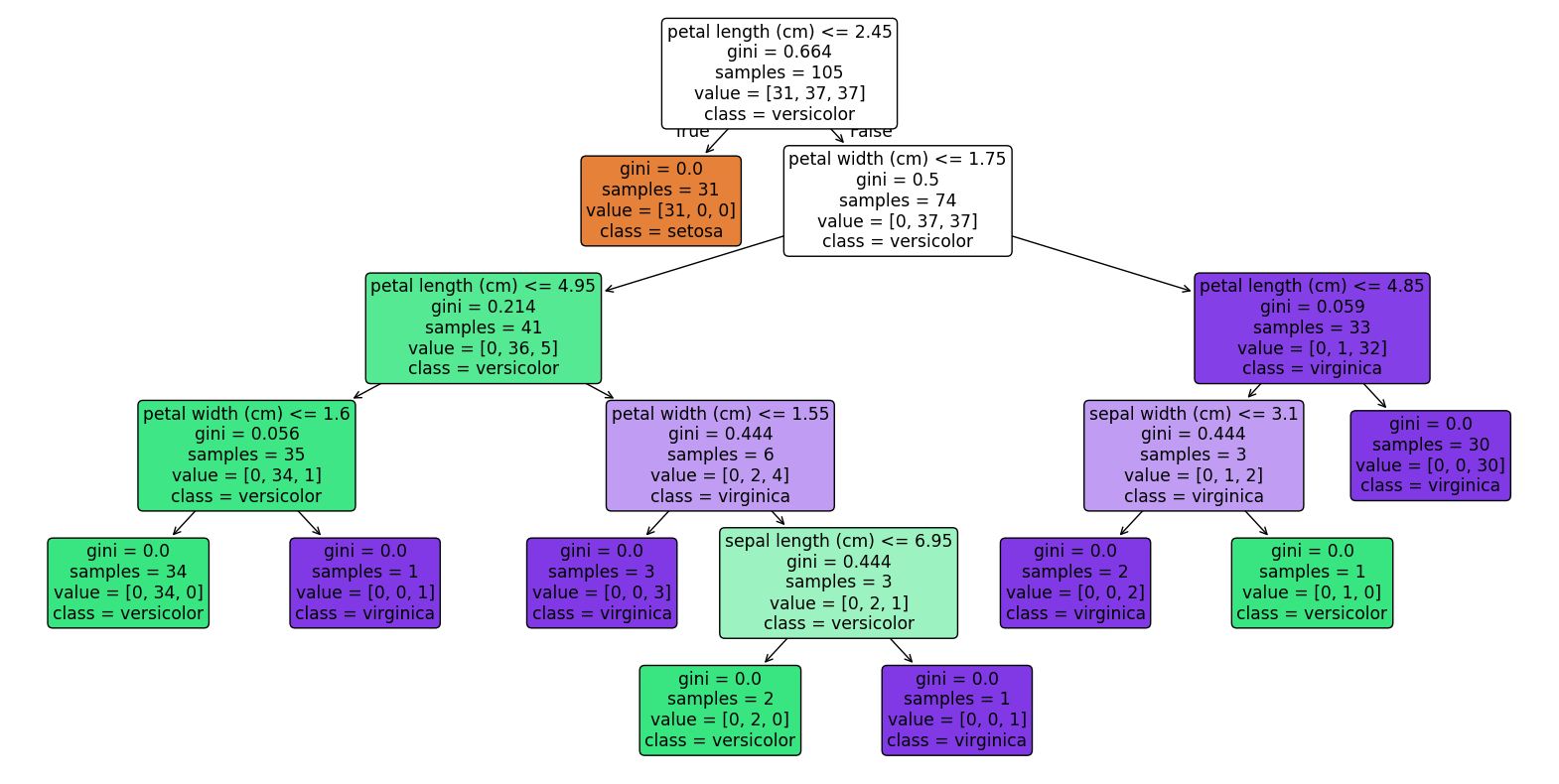
Instructions for Students:
1. Follow the steps to install the required libraries and load the dataset.
2. Train the decision tree model and evaluate its performance.
3. Modify the code to use different datasets or add more features to the model.
4. Explore the impact of different hyperparameters on the model's performance.
Completion requirements:
- Make a submission